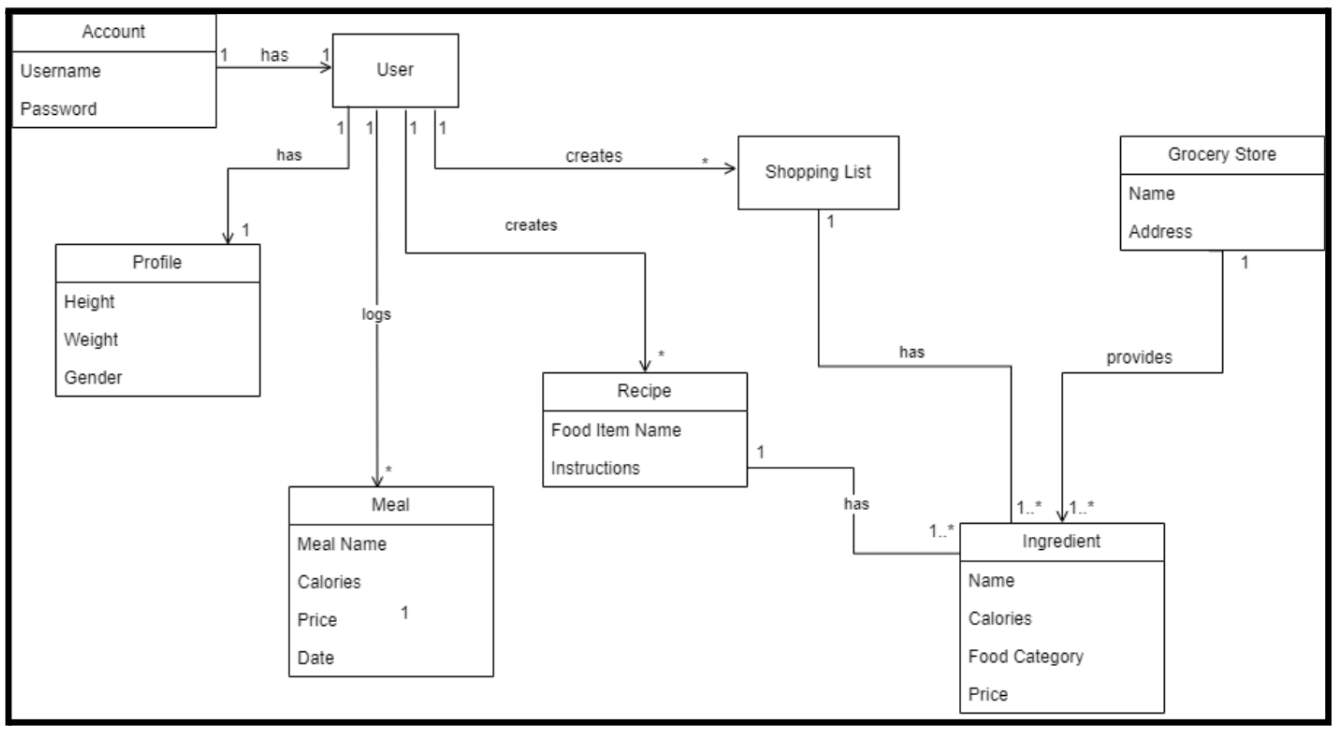
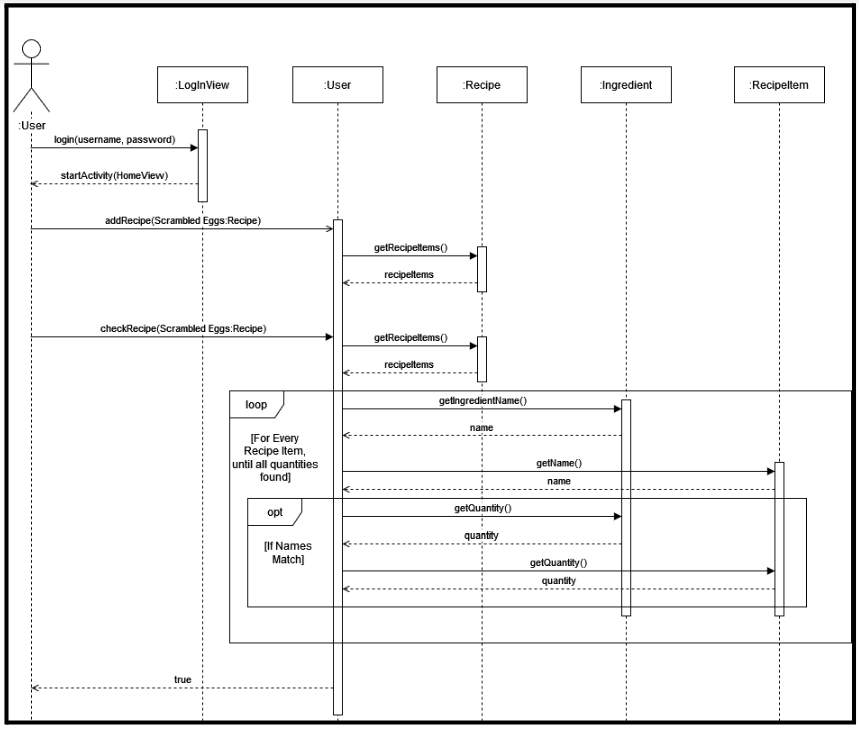
Use Case of the SD: The user is hungry, but is unsure of what they should eat. They login, and they add a new recipe for scrambled eggs. Then they check if they can make the recipe. The User instance checks the recipe for the items necessary. For all the items in the recipe, the instance goes through the names of the ingredients in the pantries, and if the names match, checks the quantities. The user has enough ingredients in their pantry, so they are informed they can make the recipe.
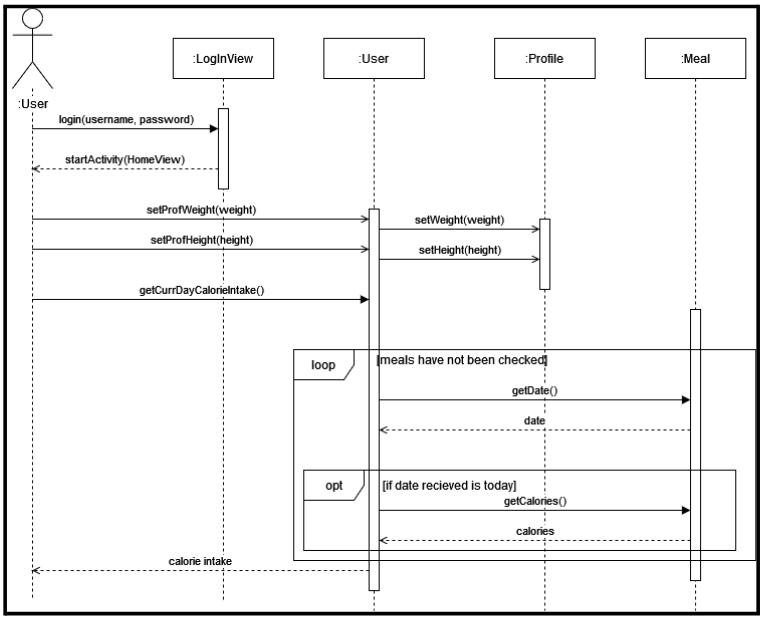
Use Case of the SSD: The user just talked to their health advisor, and wishes to update their account. They log in, and update their height and weight on their account. They check the calories of the meal they ate today. If they ate more than one meal, all the calories from today are added together and returned to the user.
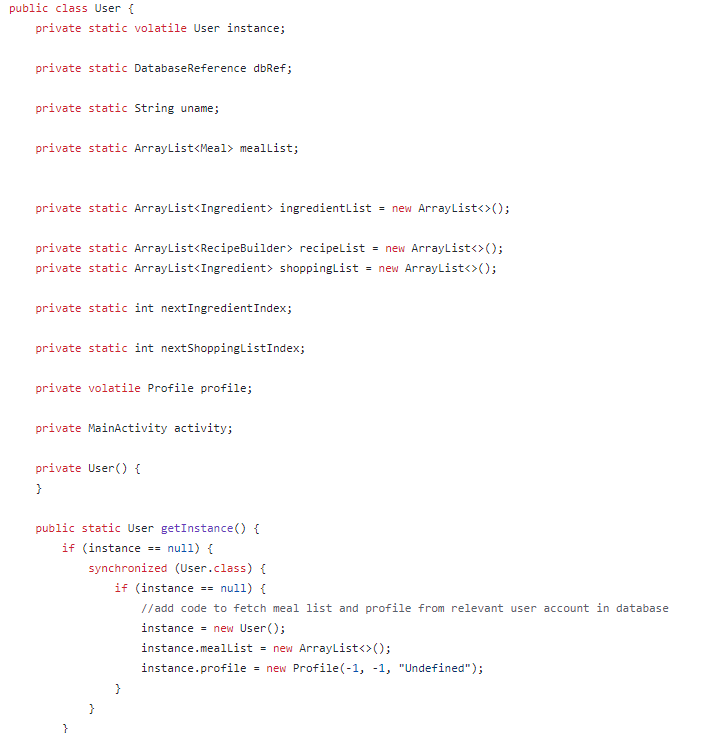
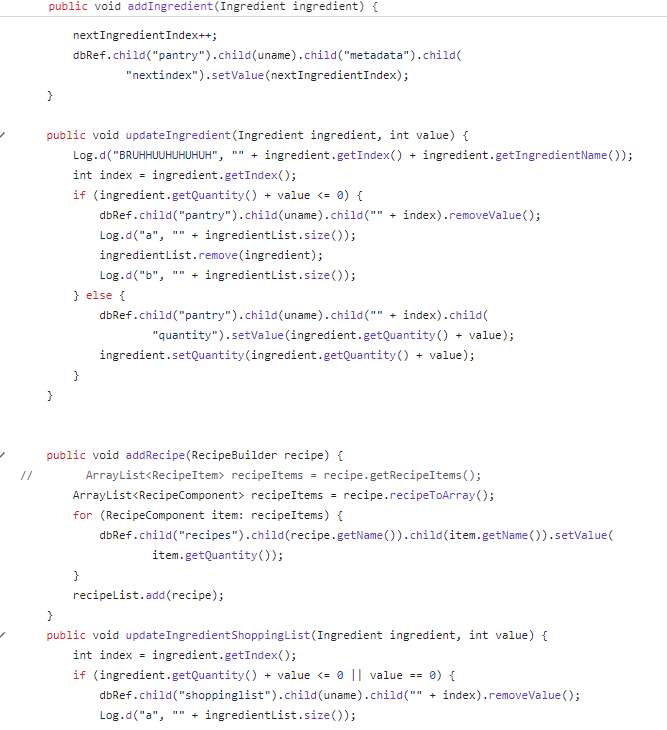
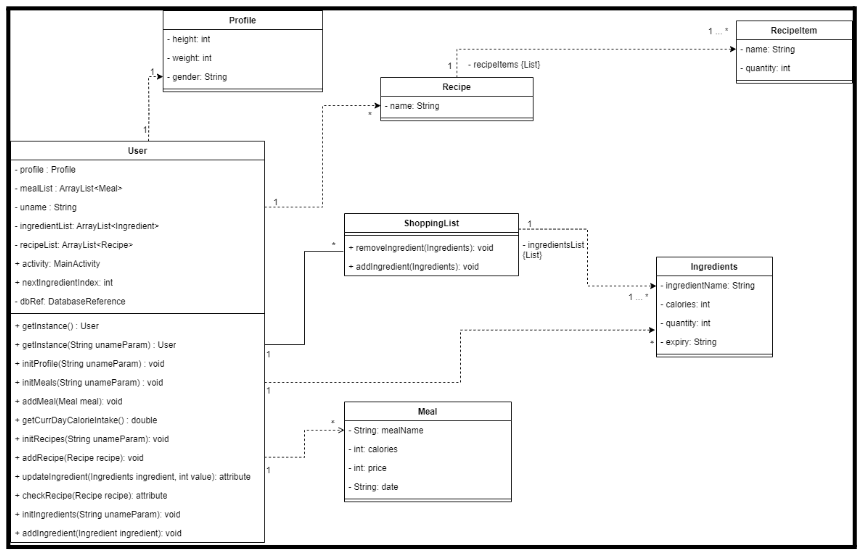
In this project we implemented the Singleton design pattern for the User class. The user class is the representation of a single user, and stores the name, height, gender and weight of this user, that can be accessible any time. It has two get-instance methods, one with a parameter and one without, and the user is initialized within these methods. The class includes a few methods that initalizes the profile, meals, recipes, the shopping list, and it has add/update meals, recipes and ingredients methods and getters and setters. Whenever a User is initialized another user cannot be initialized, and will contain the exact same values as the initial one if it is created. The singleton class represents the user using the app on their phone, and since it’s only one person, and one account the User class will always be a single instance. We used the Firebase database to store this user's information from their activity on the application.
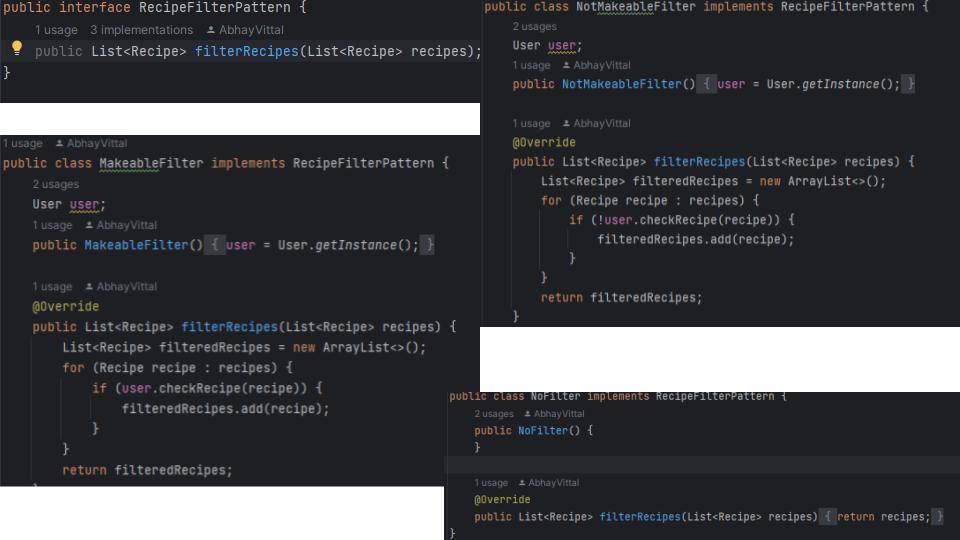
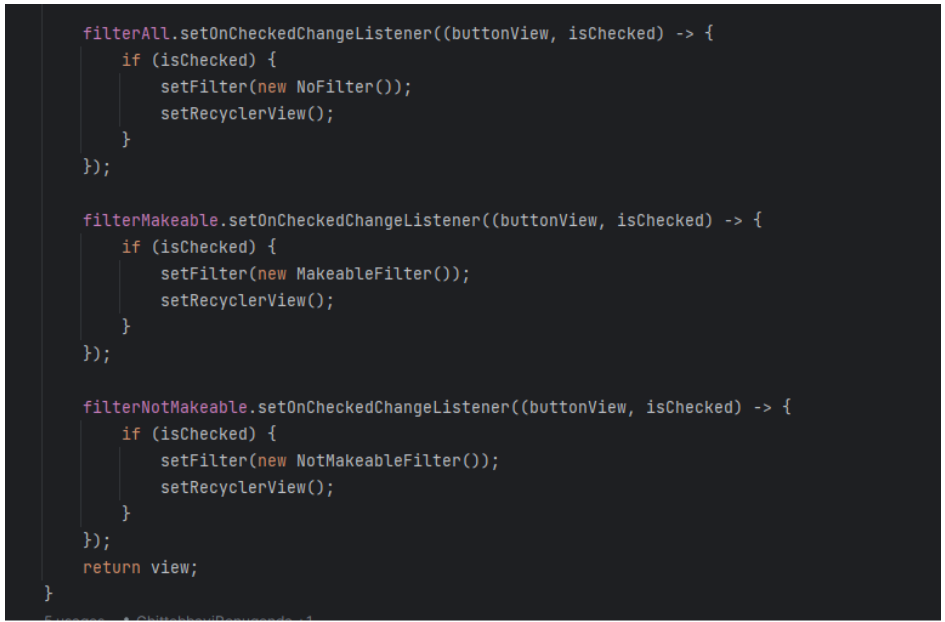
Our code properly utilizes the strategy design pattern by formatting the filtering behavior as an attribute within the RecipeView class. We added a RecipeFilterPattern interface that implements the filterRecipes() method. The RecipeFilterPattern interface has three implementations, NoFilter (don’t filter anything), MakeableFilter (filter for recipes can be made by the user), and NotMakeableFilter (filter for recipes that cannot be made for the user). Within the RecipeView, we added a RecipeFilterPattern attribute called filter,and a method setFilter() to change the filter attribute to any instance of NoFilter, MakeableFilter, or NotMakeableFilter as needed. Whenever the RecipeView recipe list is generated on the UI, filter.filterRecipes() is called to generate a filtered list of Recipes, based on which filter implementation has been set. Because the RecipeFilterPattern is an interface, more implementations of it can be made as needed to account for more filtering behaviors.
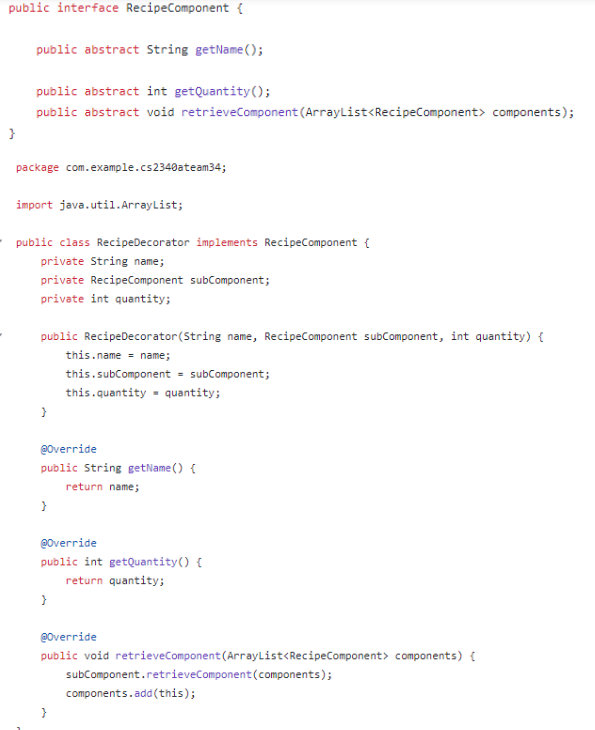
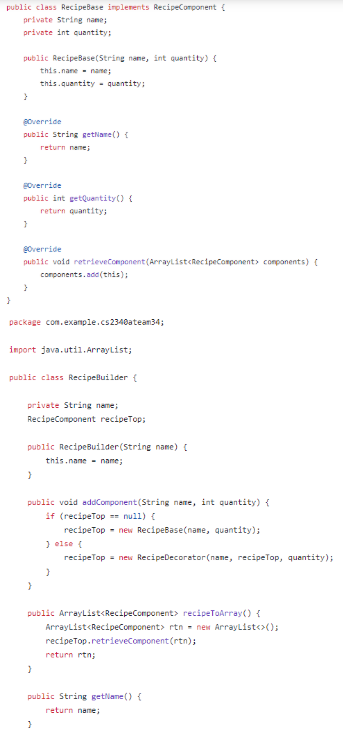
The decorator pattern allows adding new functionality to an existing object without altering its original class. We implemented the decorator design pattern using the Recipe Component as the interface which contains three methods that are then implemented in the RecipeDecorator class and in the RecipeBase class. This design pattern is utilized in the RecipeBuilder class, which allows for adding RecipeBases/RecipeDecorators to a recipe as needed, and retrieving each RecipeComponent recursively.
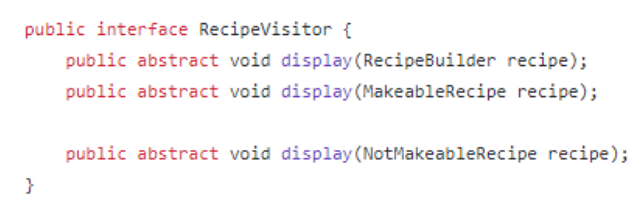
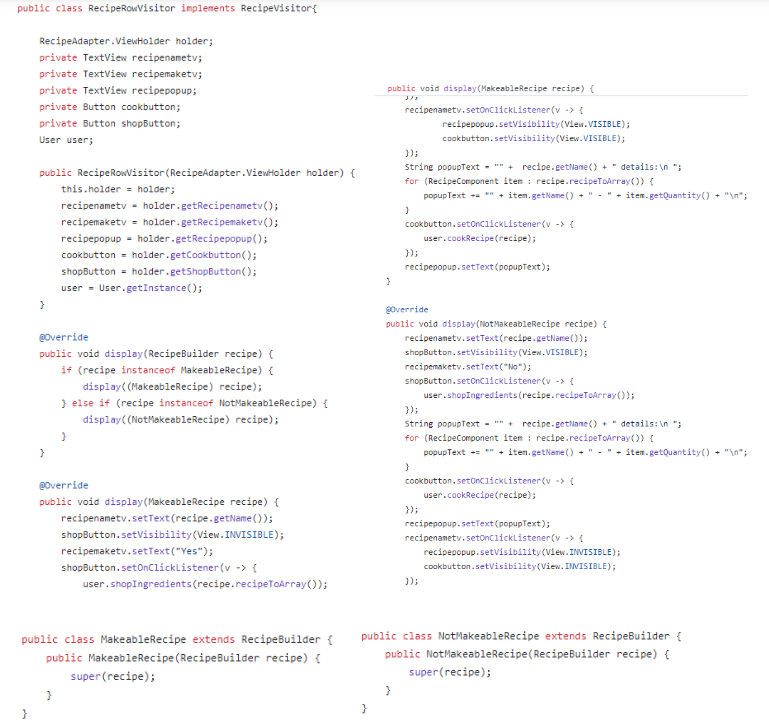
The visitor pattern focuses on separating algorithms from the objects they operate on. The RecipeVisitor is the visitor interface and takes in the concrete elements: MakeableRecipe, NotMakeableRecipe and RecipeBuilder as arguments. RecipeRowVisitor is the concrete visitor that implements all of the methods declared by the Visitor interface. Each implementation of display() within RecipeRowVisitor does different actions, depending on the data type of the element argument.